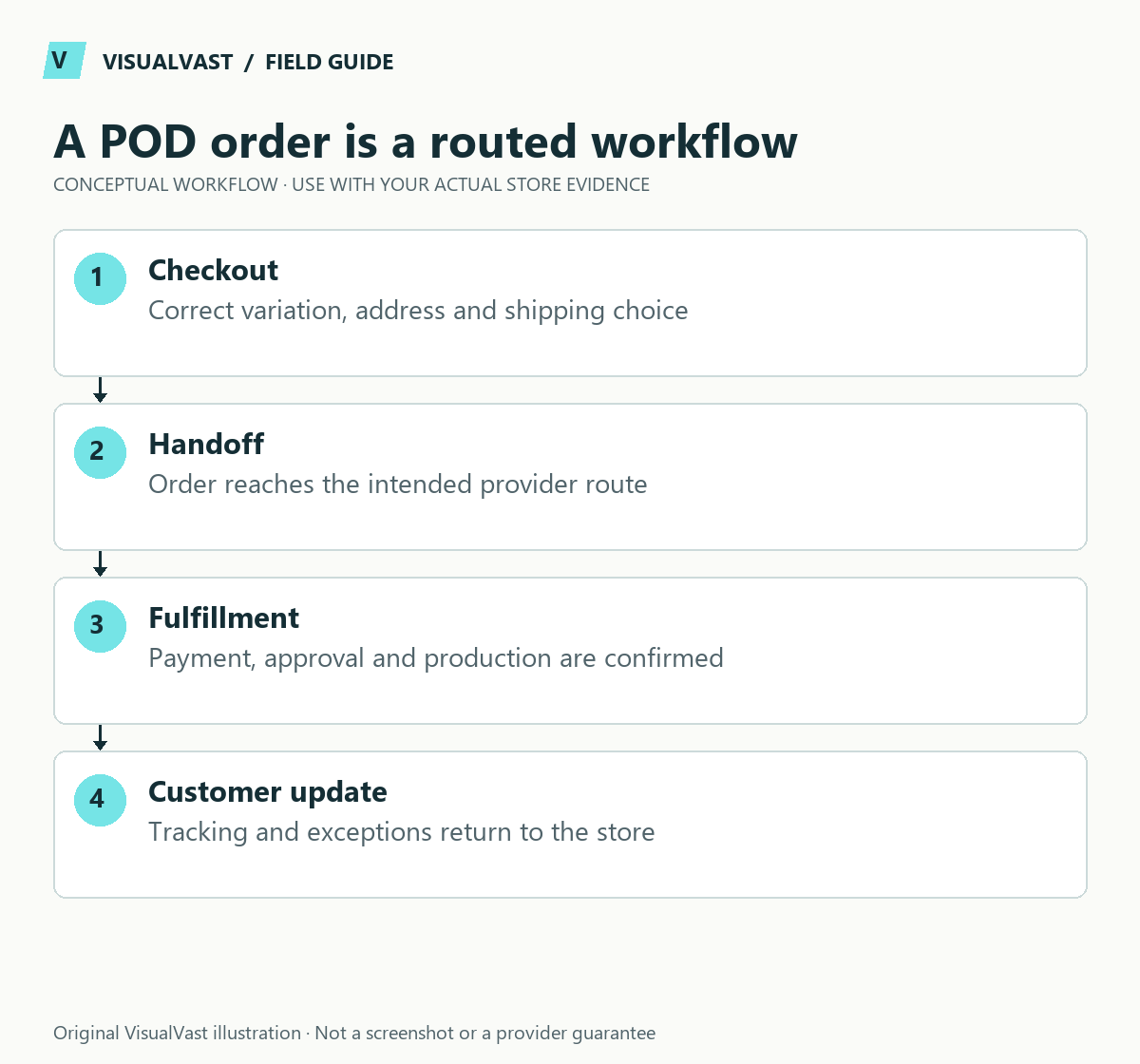
A WooCommerce print-on-demand launch is ready when the right product reaches the right provider with the right variant, artwork, delivery details and approval state. A connected account is only the beginning. Test the operational chain and its failure cases before relying on automation.
Add order-routing and funding gates to launch approval
Place a paid test order to confirm it reaches the intended provider; a product appearing in WooCommerce shows only that it synced. Test one representative variant through the authorized test workflow, compare identifiers and record who approves production. Keep a record of the provider order ID before retrying anything.
Confirm production funding independently from customer payment. Some providers charge your billing method before your sales-channel payout arrives; the POD cash-flow worksheet helps estimate that bridge using your own costs and payout timing.
Build separate tests for POD-only, own-stock-only and mixed carts. The mixed-shipping guide includes exceptions that a single sample order misses. For a missing Printify order, follow the order-routing diagnostic before placing any second production order.
Make the launch acceptance record explicit: correct artwork, variant, destination, shipping promise, charge, routing, approval and tracking. A failed item is an unresolved dependency even if the storefront looks finished.
Build a small representative collection first. A complicated catalog multiplies the combinations you need to verify, especially when sizes, colors, printing areas and different providers are involved.
Create a product-to-provider map
Record the WooCommerce product and variation, your SKU, the provider’s product or variant identifier, artwork version and fulfillment destination rules. The names can differ across systems; the identifiers must still point to the intended item.
Use the WooCommerce variation documentation for the product structure. Variations can have their own prices, stock and images. Your acceptance check should confirm the customer-facing option and downstream provider option agree.
Inspect representative samples
Assess print placement, legibility, material, fit and packaging for the actual product you plan to sell. Keep dated notes and photographs you have the right to publish. Do not turn a sample from one product or provider into a claim about an entire catalog.
Explain size selection and production plus shipping expectations on the product page. If the provider changes or a product is substituted, decide whether the customer-facing information needs review before the replacement is offered.
Control approval and supplier charges
Printify distinguishes manual and automatic order approval and charges production and shipping when an order is sent to production. Its approval settings guide explains the available controls. Review the settings for the specific connected store, particularly during tests.
Document how you will prevent test orders from entering paid production. A payment gateway’s sandbox mode protects payments only. The fulfillment integration needs its own safeguard. Decide who may approve a test and what evidence must be checked first.
Run a fulfillment test matrix
Use this guide’s worksheet in the fillable workbook (PDF, page 11). Download and save a copy to retain your entries.
Use the pod cash-flow calculator
Download: Eight-case mixed-cart test matrix (CSV)
| Test | Check in the store | Check with the provider |
|---|---|---|
| Standard order | Correct product, option and delivery address | Correct item, artwork and approval state |
| Unsupported option | Clear unavailability | No accidental substitution |
| Mixed cart | Honest delivery explanation | Correct split into fulfillment paths |
| Cancellation request | Recorded support action | Whether production can still be stopped |
| Failed import | Visible exception and owner | No missing or duplicate production order |
Write the expected result before running each test. Screenshots and identifiers are more useful evidence than “seems to work.” Keep private order details out of public documentation.
Define the exception process
Someone needs to review orders that fail, shipments that stall and products that become unavailable. Agree how often the queue is checked and who can contact the buyer. State where the authoritative order status lives and what information the customer can see.
Create a short handover for address changes, damaged items, incorrect variants and provider outages. Do not promise an automatic cancellation or refund unless the connected workflow actually supports it. Provider reimbursement and the customer’s store refund may be separate processes.
Keep the launch scope small enough to understand
A fictional apparel brand might start with one garment family and a limited palette. That lets it validate artwork, size information and order routing before expanding. The point is not that every brand should have the same catalog; it is that each extra combination needs a reason and a test.
The Printful-versus-Printify evaluation worksheet helps compare a specific basket of products and requirements. The multichannel SKU plan helps when marketplaces are also involved.
Common questions
Does the integration handle customer service?
Do not assume it does. Your business needs a clear support route and responsibility for communicating with buyers, even where a provider performs fulfillment.
Can I launch before testing samples?
You would be accepting uncertainty about the actual product experience. Resolve that uncertainty for representative products before making quality or delivery claims.
The Multichannel & POD Implementation service scopes these product, order and exception workflows around the providers you choose.
Continue with the next relevant check
- Printful vs Printify for WooCommerce: A Practical Evaluation Worksheet
- POD and Your Own Products in WooCommerce: Test Mixed Shipping
- Printify Order Not Showing From WooCommerce? Check These in Order
- POD Cash Flow: Estimate the Gap Between Production Charges and Payouts
Still choosing the storefront?
Use OpoShop vs WooCommerce to evaluate provider compatibility, or Sellfy vs WooCommerce for a creator-store comparison. If memberships and community merch are central, consider Fourthwall: stay, switch or run both before assembling a new fulfillment stack.
Multichannel & POD
Connect your POD provider and test the failure paths
We map up to ten products to one supported provider on your existing WooCommerce store, then test orders, variations and failed steps before you go live. From $750 USD.