You have outgrown Sellfy when a valuable, recurring business requirement no longer fits the available setup at an acceptable cost. Sales growth alone is a weak signal. Keep a working creator store unless a tested replacement offers enough benefit to justify migration and ongoing operation. WooCommerce is one candidate for that replacement.
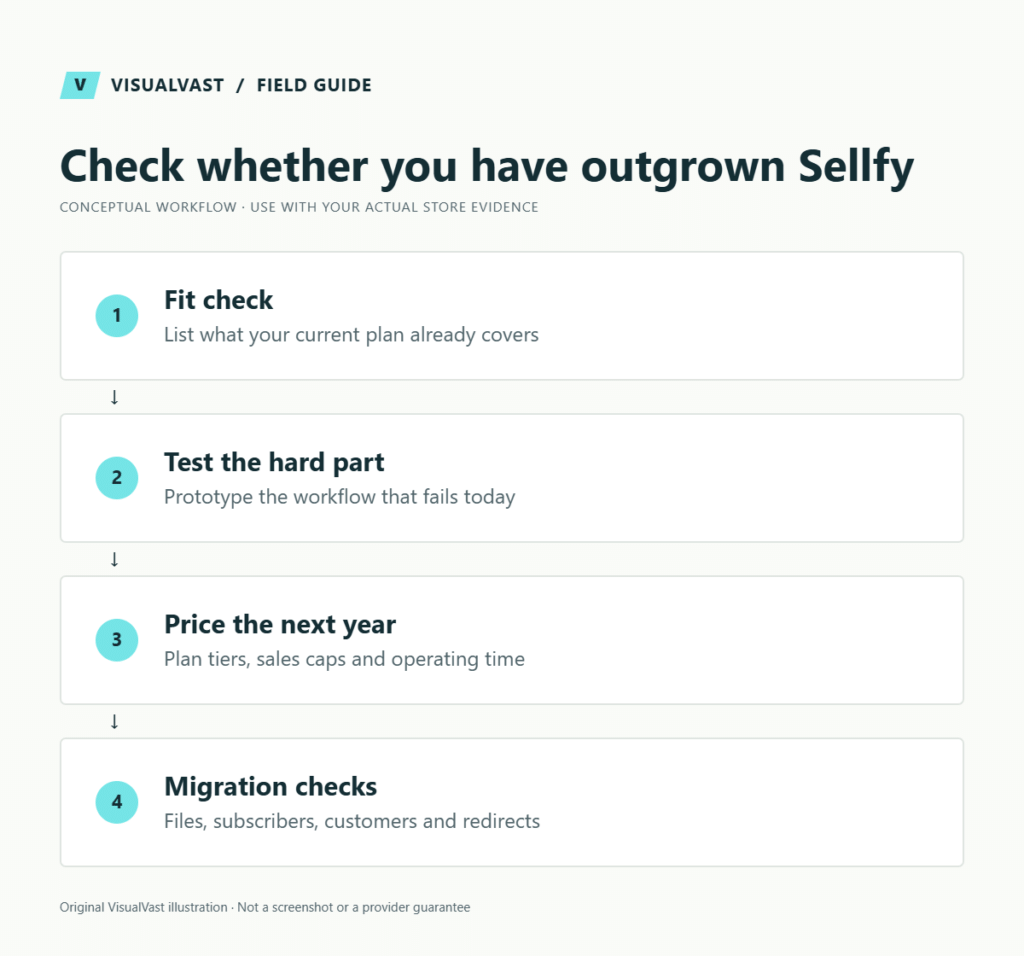
Quick fit check
| Situation | Sensible next step |
|---|---|
| Small download range sold through social content | Improve the offer and existing store first |
| Convenient built-in merch is central to your model | Test Sellfy’s actual products and fulfillment fit |
| Mixed catalog needs a specific custom bundle or integration | Prototype the requirement on both shortlisted setups |
| Store is thriving and no workflow is blocked | Stay and document future triggers |
| Sales are low but buyers rarely reach the store | Work on acquisition before migration |
Compare other options in the six-platform decision guide. For a downloads-first alternative, see Payhip vs WooCommerce.
What Sellfy already includes
Sellfy supports digital and physical products, subscriptions and built-in POD according to its official overview. Its pricing page lists annual sales limits of $10,000, $50,000 and $200,000 for Starter, Business and Premium respectively. It advertises no transaction fees within the plan, but its FAQ says an account that exceeds its limit without upgrading may incur a 2% fee on excess revenue. Processor fees remain separate. It also offers storefront customization and embeds. Do not base a migration argument on the false premise that it offers no customization.
Before comparing costs, record the billing interval, annual sales threshold and next-plan cost for your account. Budget the upgrade if your scenario crosses the limit. A plan upgrade may be cheaper than replacing the store. Conversely, an included feature has little value if your actual workflow still needs a separate service.
Three illustrative creator businesses
Twenty downloads and an Instagram audience
A creator publishes a small set of design templates and sends followers to product pages. Their main complaints are unclear previews and repeated compatibility questions. In this fictional example, changing platforms would not correct those issues. Apply the digital product-page checklist and measure support questions before rebuilding.
POD, downloads and custom bundles
A second creator wants buyers to combine a physical kit with a related file, use a particular fulfillment provider and discover products through extensive tutorials. Investigate both platforms against the exact bundle and delivery requirements. The product-model guide helps separate digital access, physical fulfillment and customer expectations. Do not assume a plugin listing proves the complete workflow.
A successful store without a blocking constraint
A third creator has predictable orders and manageable support. Their reason for moving is that another platform looks more professional. Staying is the stronger default. They can revisit the decision if a documented need emerges, without turning a functioning operation into a migration project.
Test the difficult part first
For downloads, test delivery and recovery when an email cannot be found. For merch, inspect product suitability, shipping promises and the handling of a replacement. For subscriptions, test entitlement rules and the customer’s cancellation experience.
Sellfy’s subscription documentation describes recurring access tied to subscription products. Before replacing that setup, map what each subscriber should receive, when access ends and how existing billing will continue. A general “membership supported” feature label is insufficient evidence of equivalence.
The Sellfy POD guide describes its built-in merchandise workflow. Compare that with the provider-specific work in our WooCommerce POD launch checklist. Use samples and authorized order tests before making quality or delivery promises.
Price the next year of work
List what you pay today and what someone spends time doing: storefront changes, customer support, file updates, campaign setup and order exceptions. Price the proposed replacement using those same tasks. Include a migration allowance and a period of overlapping services.
WooCommerce’s official pricing explanation distinguishes the free core from hosting, extensions and payment processing. Your implementation also needs maintenance and support ownership. Use our launch budget guide to turn the shortlist into a realistic operating plan that counts every running cost on both sides.
Sellfy-to-WooCommerce migration checks
| Area | Evidence needed before cutover |
|---|---|
| Products | Export sample and field map, including variants and bundles |
| Files | Original files, licenses, versions and delivery permissions |
| Subscribers | Provider-confirmed billing transition and entitlement plan |
| Customers | Usable records with consent and suppression history preserved |
| Orders | Accessible history and a plan for outstanding refunds |
| URLs and campaigns | Redirect controls and updated links you can manage |
| POD | Recreated product mapping and verified order routing |
Do not promise that customer passwords, active subscriptions or historical download permissions transfer automatically. Rehearse with a small dataset and inspect the destination as a customer. Use the digital-download setup guide and checkout test plan before opening the replacement.
Can you run both?
Yes, if each has a clear role, such as temporarily keeping existing subscriptions on the original system while validating a new catalog. Set a review date and explain where buyers should seek support. Two stores without defined roles create duplicated reporting, promotions and customer confusion. The Fourthwall comparison shows how to define that boundary.
Make the decision measurable
Write the constraint, its monthly cost and the acceptance test a replacement must pass. “More flexibility” needs a concrete example. If the main issue is weak demand, use the traffic diagnosis tool first.
An Owned Store Readiness / Migration Audit can resolve uncertain dependencies. Move into WooCommerce launch planning once the migration has a justified outcome, and assign care and maintenance before customers depend on the new setup.
Readiness Audit
Plan the build before you pay for it
The Owned Store Readiness Audit reviews your catalog, operations, budget and route to customers. You get written findings, a 45-minute walkthrough and a clear call: build now, start smaller or fix the gaps first. $349 USD.