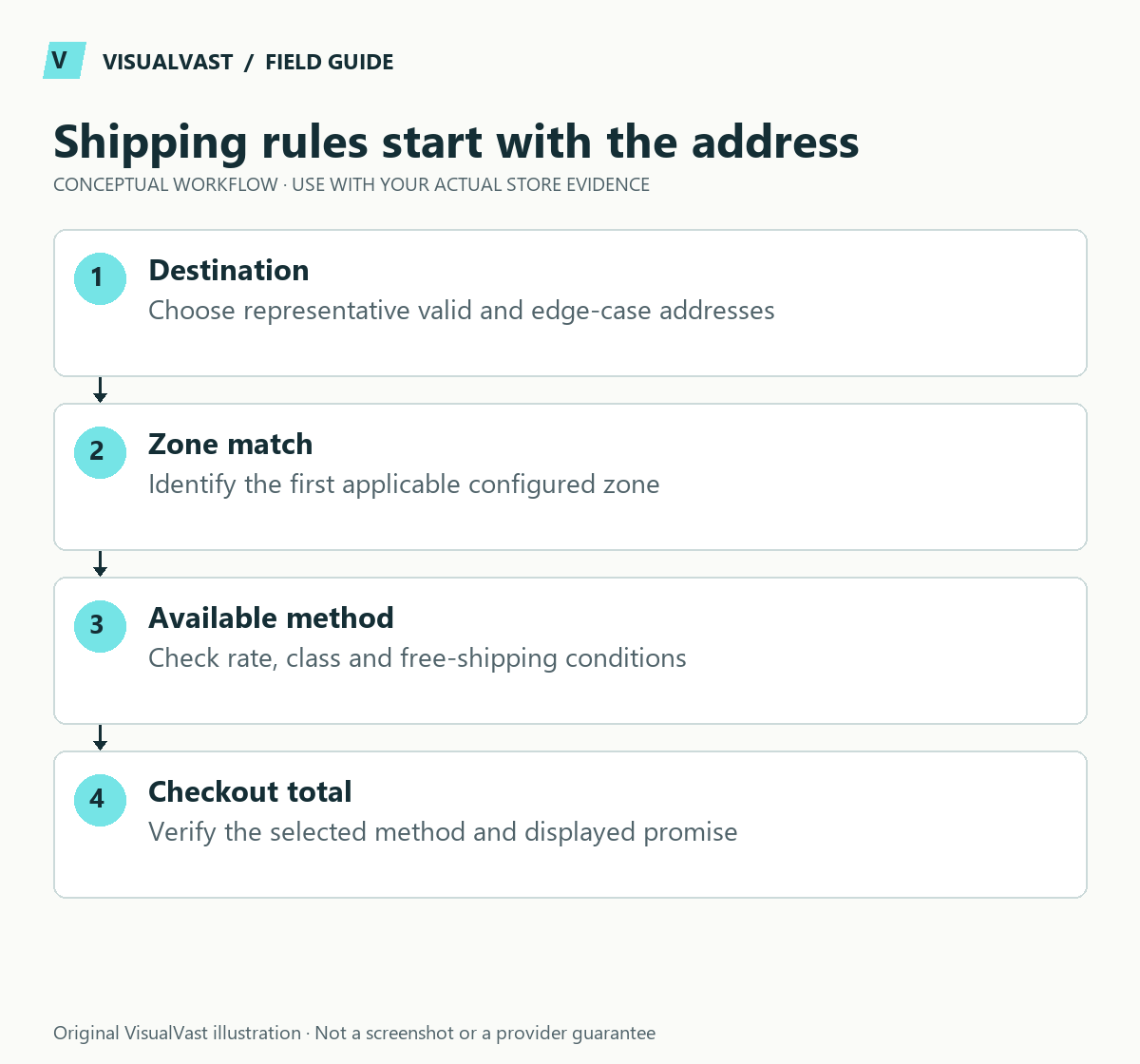
Configure WooCommerce shipping from the delivery promise backward: where you ship, what you ship, how you charge and which exceptions you can support. Then test real address patterns and representative carts. Verify the whole configuration across several addresses and carts.
Use a test-address matrix, including boundaries
Use authorized test addresses. For each address, record the matched zone, available methods, charge, delivery wording and expected result. A familiar local address proves only one branch.
Use this guide’s worksheet in the fillable workbook (PDF, page 15). Download and save a copy to retain your entries.
Download: Eight-case mixed-cart test matrix (CSV)
Download: Shipping and pickup acceptance matrix (CSV)
| Scenario | What it reveals |
|---|---|
| Address inside your most specific zone | Whether the intended specific rule wins |
| Nearby address outside that boundary | Whether fallback behavior is correct |
| Supported distant destination | Whether broad coverage is intentional |
| Unsupported country or postcode | Whether checkout stops clearly |
| Same destination with mixed fulfillment | Whether packages and costs remain coherent |
| Free-shipping threshold just below and above | Whether discounts and thresholds interact as intended |
Keep product dimensions and classes in the test record. If a rate changes after a quantity change, compare the expected calculation before declaring it a bug. Check the POD and own-stock shipping matrix for provider-specific conditions. Test pickup separately because Blocks pickup is not simply another address-matched shipping zone.
Start with the destinations and product types you can operate reliably. An unsupported region should produce an honest explanation at checkout.
Understand how zones match
WooCommerce assigns a customer to the first shipping zone matching their address, and the customer sees the methods available in that zone. Specific zones therefore need careful ordering relative to broader regions. A zone without methods can leave no shipping option. These behaviors are documented in the shipping-zone guide.
Before changing settings, write a delivery matrix. This makes the intended behavior reviewable without asking someone to interpret the admin screen.
| Destination group | Intended methods | Important exclusion | Test address type |
|---|---|---|---|
| Local service area | Your actual local delivery or pickup offer | Outside the supported boundary | Inside and just outside boundary |
| Main shipping region | Agreed standard or premium option | Product or address restrictions | Typical and edge-case address |
| Other supported region | Region-specific method | Unavailable destinations | One supported and one excluded address |
| Everything else | No offer unless deliberately supported | All unspecified regions | An unmatched address |
Use actual business decisions in place of these example groups. Do not copy another merchant’s regions, rates or exclusions.
Separate what you charge from what fulfillment costs
A flat rate shown at checkout is a pricing rule. Check the carrier’s or POD provider’s actual charge separately. Compare the customer charge with the underlying delivery costs for representative orders and document who maintains the rules.
If products come from multiple fulfillment sources, test whether the cart splits into packages or produces combined rates. Explain separate deliveries where they occur. A mixed cart can behave differently from a single-item test.
Test the boundaries
- Enter an address in the most specific zone and confirm the intended method.
- Enter a nearby address outside that zone and confirm the broader rule.
- Test a destination the business does not serve.
- Try a cart below and above any configured free-shipping threshold.
- Include multiple quantities and products with different handling requirements.
- Check the same journey on mobile, including error recovery after changing the address.
Record the address pattern, cart, expected options, observed options and result. Use test information and do not submit paid orders unless the test process explicitly requires and authorizes them.
Check the copy as well as the calculation
Method labels should mean something to a buyer. Explain whether an estimate includes production or handling time. If an option is unavailable, show a useful next step where possible. Avoid promising a delivery date based only on a generic label such as “Express.”
For a fictional POD store, a buyer may assume an upgraded shipping method shortens manufacturing time. Product and checkout copy should explain the actual distinction. Confirm the provider supports the chosen mapping before offering it.
Common questions
Why does the wrong zone appear?
Compare the address against the zone order and geographic boundaries. Check the most specific match first, then investigate extension behavior if the core rules do not explain the result.
Is local pickup just another shipping zone?
It depends on the implementation. The block-based pickup system differs from the legacy shipping-zone method. Use the retail and pickup guide to plan the actual customer and staff process.
Shipping is one part of the checkout acceptance test. Include its combinations in the WooCommerce launch scope so the store is tested against the promises you intend to make.
Continue with the next relevant check
- Take a Retail Store Online: WooCommerce and Local Pickup Planning
- WooCommerce Checkout Test Plan: What to Verify Before Launch
- POD and Your Own Products in WooCommerce: Test Mixed Shipping
- POD Cash Flow: Estimate the Gap Between Production Charges and Payouts
Care & Maintenance
Hand off the upkeep, keep the checks
WooCommerce Care covers scheduled updates, backups, monitoring and a monthly checkout test, with a written report. Care starts at $199 USD a month. Care Plus adds two hours of fixes and support each month.