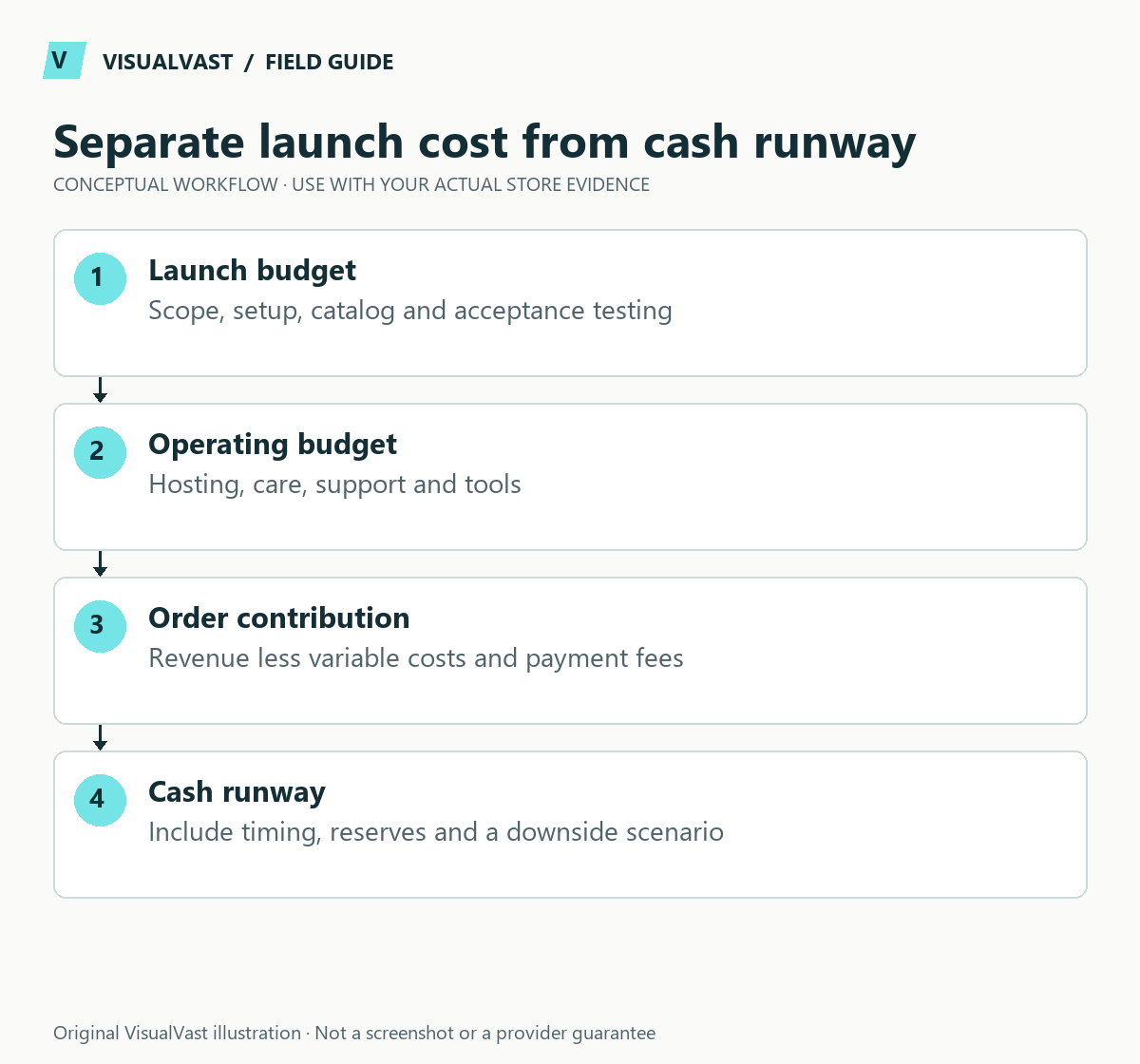
A useful WooCommerce budget separates the initial build, recurring operation, per-order costs and customer acquisition. A low setup price is incomplete if it leaves out catalog preparation, testing, maintenance or the work needed to bring customers to the store.
Compare channel economics without assuming the website replaces Etsy
Build separate scenarios for keeping Etsy, adding WooCommerce and changing the sales mix. Marketplace fees and owned-store costs are not interchangeable: the website also needs acquisition, maintenance, support and payment processing. Use the fees in your current agreements and invoices.
A useful planning equation is: additional monthly owned-store contribution minus additional fixed operating cost. Contribution means sales revenue less the variable costs attributable to those orders. Keep customer acquisition, refunds, production, packaging and shipping subsidies visible. Do not count an Etsy order as a new WooCommerce order simply because a website now exists.
For a fictional example, suppose each additional website order contributes $12 after the chosen variable costs and the new monthly fixed costs total $240. Twenty such orders cover those fixed costs. That arithmetic excludes setup recovery, tax, owner pay and any omitted expense; treat it as a scenario.
POD sellers must also fund orders before payouts arrive. Profitability alone does not answer that timing question: use the POD working-capital worksheet. After launch, distinguish traffic from conversion problems before buying more tools.
There is no responsible single price for every WooCommerce launch. A three-product digital shop and a physical catalog with pickup, shipping and shared inventory have different requirements. This worksheet uses illustrative numbers to explain the method. The figures are illustrations, separate from any VisualVast quote or market benchmark.
Build four budget sections
Use this guide’s worksheet in the fillable workbook (PDF, page 5). Download and save a copy to retain your entries.
Use the pod cash-flow calculator · Use the owned-store break-even calculator
| Section | Include | Ask before approving |
|---|---|---|
| Initial launch | Discovery, design, content, catalog preparation, implementation and testing | Exactly how many pages, products and variations are covered? |
| Recurring operation | Hosting, domain renewal, licensed tools, maintenance and support | Who owns the accounts and what renews annually? |
| Per-order operation | Provider charges, payment processing, packaging, shipping and support effort | Which costs change with order type or destination? |
| Acquisition | Content, creative production, outreach, paid tests and measurement | Who performs the work after the site launches? |
Keep applicable taxes and professional advice visible as separate assumptions. Do not turn a technical estimate into a tax or profitability forecast.
Normalize quotes before comparing them
Give each implementer the same brief. Define the catalog, product types, delivery regions, required integrations, content responsibilities and acceptance tests. Ask for exclusions in writing. “SEO included” should describe actual tasks, such as metadata, URL mapping or measurement setup.
Request a line for handover. Someone needs to learn how to change a product, process an exception, check a failed order and obtain support. A store with undocumented customizations can be inexpensive to build and expensive to operate.
Use a twelve-month planning view
Consider this fictional example: a $3,000 implementation allowance, $1,200 in annual platform and support costs, and $1,800 allocated to content and launch promotion. The planned first-year cash commitment is $6,000 before variable selling costs, taxes and internal labor. Those figures are arithmetic inputs for the example.
The example reveals why dividing the build quote by twelve can be misleading. Some expenses occur before the first order; others recur at renewal or increase with activity. Add due dates and a responsible owner beside each line. Mark costs as confirmed, estimated or unknown so uncertain provider charges do not disappear inside a total.
For POD, keep customer payments and supplier charges distinct. Printful describes them as separate transactions: the buyer pays the store, while Printful charges the merchant for fulfillment. The operational lesson is to verify payout and supplier-charge timing in your own accounts. See Printful’s payment explanation.
Reserve capacity for exceptions
Choose a contingency based on the uncertainties in your project. An incomplete product spreadsheet creates a different risk from an untested shipping integration. Record what would consume the reserve and who can authorize extra scope.
- Missing catalog assets: identify the products affected and preparation owner.
- Integration uncertainty: budget a proof of concept before a full rollout.
- Launch defects: define the correction period and what counts as a change request.
- Ongoing support: agree response expectations and work outside the allowance.
If the total is beyond your available resources, reduce the launch scope. Fewer supported product types or one delivery region can be more practical than removing testing. The readiness checklist helps identify what cannot be safely postponed.
Common questions
Should I choose the cheapest quote?
Compare equivalent deliverables, ownership and support first. A lower price may be appropriate for a smaller scope; it becomes difficult to assess when essential work is unspecified.
Can I budget only for the website?
You can track that subtotal, but the business still needs operational and acquisition resources. A complete launch plan includes both alongside the finished storefront.
The WooCommerce Owned Store Launch service begins with agreed requirements so the estimate reflects the work your store actually needs.
Continue with the next relevant check
- Owned Store Readiness Checklist: Are You Ready for WooCommerce?
- WooCommerce POD Launch Checklist: Products, Orders and Fulfillment
- Printful vs Printify for WooCommerce: A Practical Evaluation Worksheet
- POD Cash Flow: Estimate the Gap Between Production Charges and Payouts
- WooCommerce Store Has No Sales: Traffic or Conversion Problem?
Compare like-for-like platform costs
Use the six-platform comparison guide alongside this budget. Compare a complete operating setup, including migration and maintenance, on both sides of the comparison.
Readiness Audit
Plan the build before you pay for it
The Owned Store Readiness Audit reviews your catalog, operations, budget and route to customers. You get written findings, a 45-minute walkthrough and a clear call: build now, start smaller or fix the gaps first. $349 USD.