A WooCommerce digital download is ready when the buyer can understand what is included, pay through the intended workflow, obtain the correct file and get help when access fails. Test the full journey through to the buyer opening the file.
Choose file delivery for the actual file and hosting setup
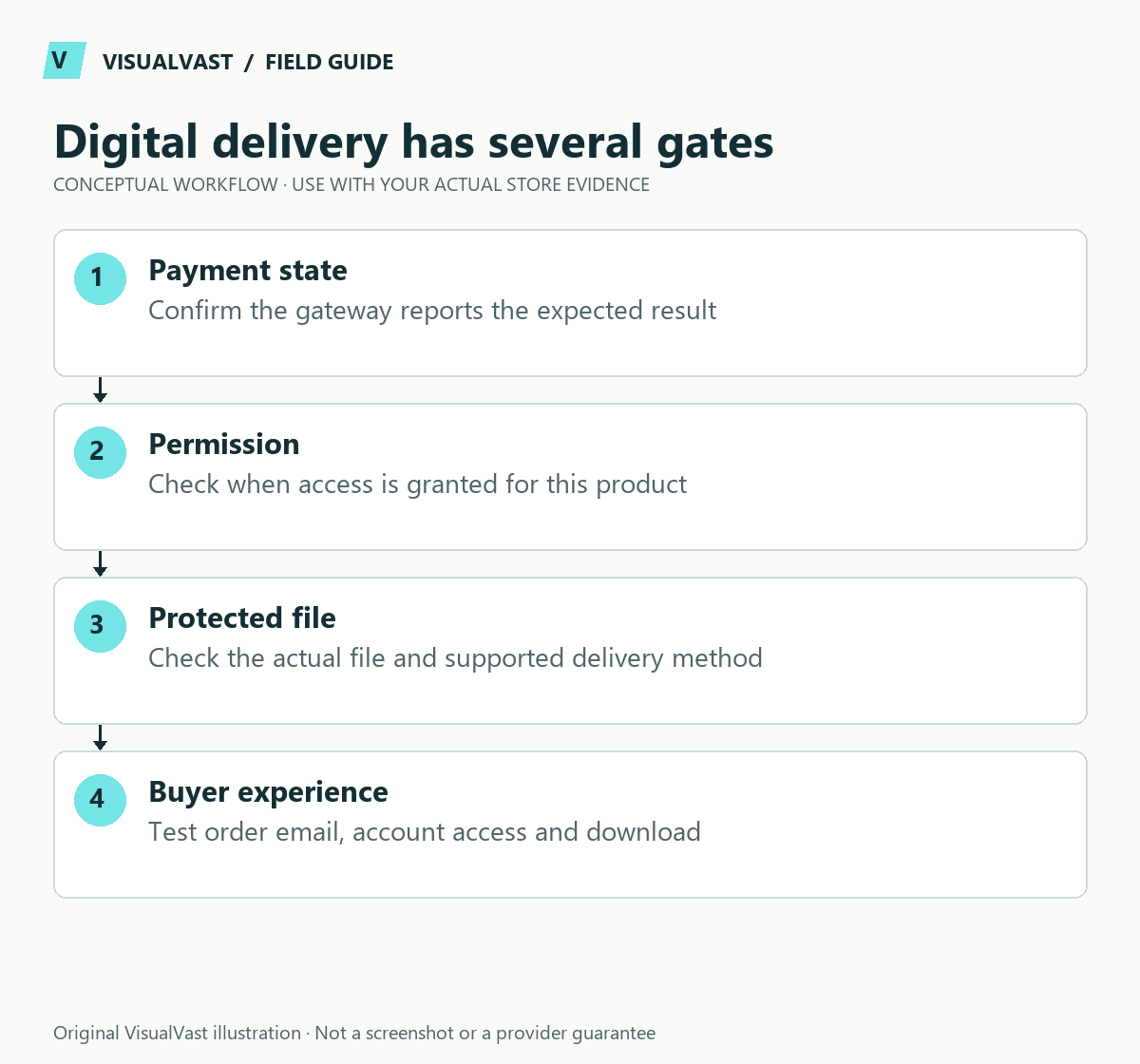
Separate the product’s access policy from the server’s delivery method. WooCommerce’s download handling guide describes Force Downloads, server-assisted delivery and redirect behavior. Choose a supported method with the host, then test the largest real file; do not select a setting purely because a tutorial calls it secure.
Use this guide’s worksheet in the fillable workbook (PDF, page 9). Download and save a copy to retain your entries.
Download: Digital-download entitlement test matrix (CSV)
| Test | Evidence to retain |
|---|---|
| Authorized buyer, fresh order | Correct file version opens |
| Expired or exhausted permission | Expected access message and support route |
| Largest file on a slower connection | Transfer completes and file is usable |
| Logged-out buyer under the chosen policy | Login requirement is clear |
| Old buyer after a file edit | Intended version and remaining entitlement |
Download controls cannot prevent a legitimate buyer from copying a file after receiving it. Keep licensing terms and technical limits distinct. Do not describe expiring links as DRM or a guarantee against sharing.
For a customer already blocked, use the download-link diagnosis tree. For product updates, follow the separate past-customer file-update guide before changing file rows.
Start with a small, non-sensitive test file. Keep paid source files and customer data out of public demonstrations. The delivery settings should match the promise on the product page and the capabilities of the host.
Configure the product and access rules together
WooCommerce separates downloadable files from the virtual setting that removes shipping requirements. Its download guide also describes access after payment, account requirements, download limits, expiry and delivery methods. Redirect-only delivery exposes a direct file URL; protected delivery depends on server configuration. Confirm the protection method with your host. See the official digital-download guide.
These technical choices need customer-facing explanations. If access expires or requires an account, tell the buyer before purchase. Do not sell an “instant” download while your actual process waits for a manual step that may take hours.
Prepare the file like a product
Give each release a clear filename and version record. Open the finished file, check its contents and remove accidental drafts or private notes. For a ZIP archive, extract it on a supported device and confirm that filenames are understandable. Include short instructions where the product needs them.
Create a product information sheet with formats, approximate size, software requirements, included items, license scope and support boundaries. A buyer should know whether they are buying a PDF, an editable template, or access to a third-party service. The digital product page checklist covers this presentation work.
Test the delivery states
| Scenario | Expected outcome to define | Evidence to record |
|---|---|---|
| Successful test payment | Correct access becomes available at the intended order state | Order record and opened file |
| Failed or cancelled payment | No unintended paid-file access | Order status and access check |
| Returning customer | Access works through the documented account route | Account journey |
| Limit or expiry reached | Clear recovery or support path | Message and support procedure |
| File updated | Intended buyer groups get the intended version | Version and entitlement check |
The table is an acceptance plan; run it against your own configuration. Test your gateway, extensions and hosting combination. Use staging and provider test modes; ensure tests cannot trigger real fulfillment or messages to customers.
Separate payment success from email delivery
An order email is one route to access, but it can fail to arrive. Decide what the buyer can do from the confirmation page or account area and how support verifies entitlement without requesting card details or passwords.
When troubleshooting, record the order identifier, current order status, expected file, delivery method and exact error. Use a controlled test account. Do not paste protected download URLs into public support forums, because they can contain access tokens.
Make the support process repeatable
Write a short response for “I cannot find my download,” another for “The file will not open,” and a process for a genuinely incorrect file. State supported formats and software accurately. Keep an internal record of replacements or access changes so the next person can understand what happened.
A fictional workbook store might discover that buyers on phones cannot easily unzip a bundle. The useful response is to test that journey, improve instructions or change packaging. Adding more marketing copy will not resolve a delivery mismatch.
Common questions
Can file protection prevent every copy?
No. Access controls can reduce unauthorized direct access, but a buyer who can use a file may still copy it. Combine suitable delivery controls with clear licensing and realistic expectations.
Is a free test order enough?
It can test parts of the order and download journey. Test the paid gateway, refund flow and failure scenarios separately. Include those separately in the checkout test plan.
For a store with dependable purchase-to-download delivery, make testing and support part of the WooCommerce Owned Store Launch scope.
Continue with the next relevant check
- Digital Product Page Checklist: Help Buyers Know What They Get
- WooCommerce Download Link Not Working? A Diagnosis Tree
- Updating WooCommerce Download Files for Past Customers
- WooCommerce Order Emails Not Arriving: A Troubleshooting Workflow
Moving from a hosted digital store?
If this setup is part of a migration, first review Payhip vs WooCommerce or Sellfy vs WooCommerce. Existing purchase permissions and recurring billing need a separate transition plan; test past-customer access separately from new downloads.
Store templates
Listing, download and support templates, ready to edit
The Store Content and Customer Experience Bundle gives you 30 editable templates and seven worked examples for product facts, file instructions and common support replies. $19 USD, digital download.