A checkout test should prove the customer can buy and receive the intended product, and that the business can handle failure without duplicate charges or lost orders. Test successful and unsuccessful paths, then reconcile what happened across the store, payment provider and delivery system.
Split acceptance tests by product model
A successful payment is only the start of acceptance. Define the expected downstream result before running each test, and record the exact order reference, time, product and configuration. Use gateway sandbox modes and isolated fulfillment where available; never let an unnoticed test place a real production order.
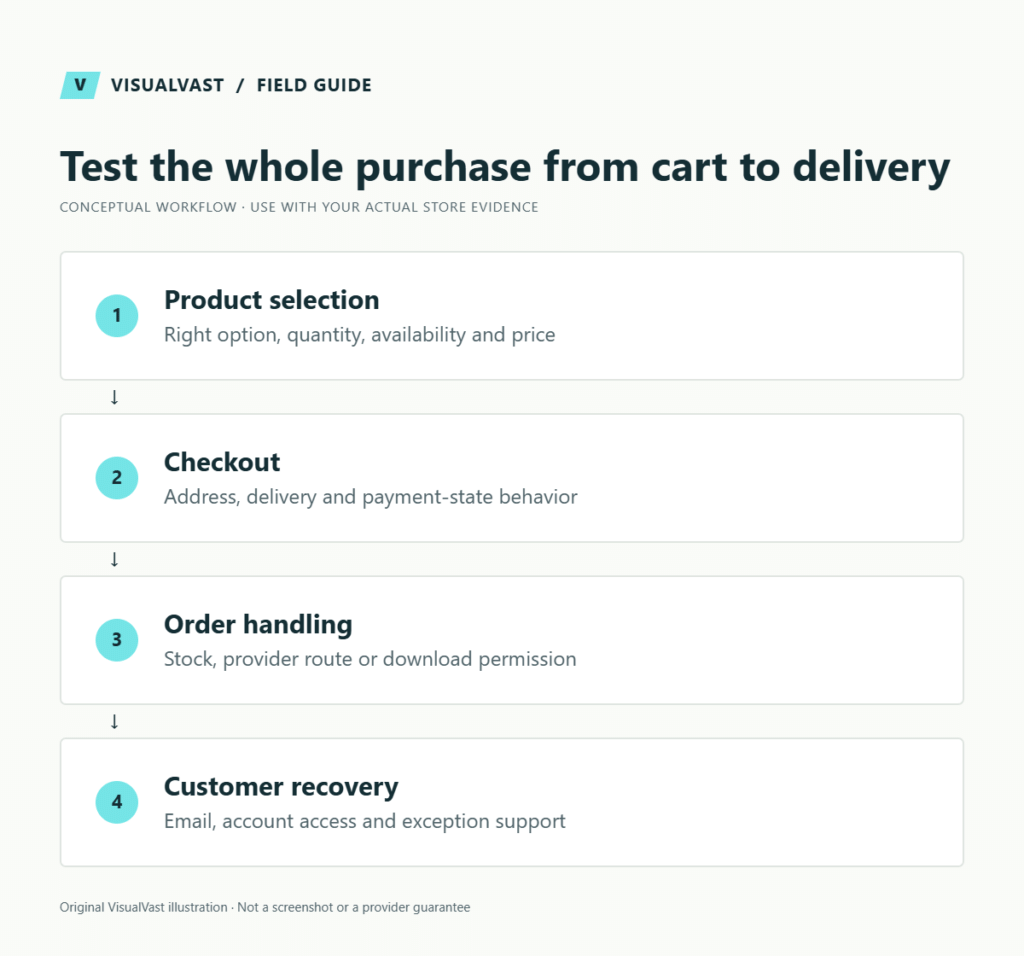
Use this guide’s worksheet in the fillable workbook (PDF, page 16). Download and save a copy to retain your entries.
Download: Eight-case mixed-cart test matrix (CSV)
Download: Shipping and pickup acceptance matrix (CSV)
| Product model | Additional acceptance tests |
|---|---|
| Digital | Permission, correct file, expiry policy, logged-out access and old-buyer updates |
| POD | Correct variant mapping, provider receipt, approval, funding and tracking |
| Own stock | Quantity decrement, unavailable stock, shipping method and cancellation handling |
| Pickup | Location choice, instructions, preparation notification and staff collection flow |
Include failed payment, guest and account checkout, discount, shipping exception and recovery. Follow the download diagnosis, Printify routing flow and order-stock explanation when a branch fails. If failed orders suddenly surge, switch to the card-testing first-response runbook.
After an update, repeat the relevant tests against the new versions. Collect a support evidence packet when a failure cannot be reproduced consistently.
Use staging and the provider’s supported test modes. WooCommerce warns that test orders can trigger emails and connected systems may treat them as real orders. See its testing-orders documentation. A sandbox payment alone does not prevent a live fulfillment connector from acting.
Define acceptance before running the test
Write the supported product types, payment methods, delivery regions and customer-account routes. Give each test an expected result and a named reviewer. “Checkout works” is too broad to diagnose a problem or approve a launch.
| Scenario | Expected result to define | Evidence |
|---|---|---|
| Successful payment | One order, correct amount and expected status | Store order and provider test transaction |
| Failed payment | Useful error, no unintended fulfillment | Order notes and test-provider response |
| Repeated submission | No accidental duplicate result | Order and transaction count |
| Address change | Correct available delivery methods | Checkout result for each address |
| Digital purchase | Correct file access at the intended state | Opened test file and entitlement |
| Cancellation or refund | Correct financial and operational state | Provider record plus store action |
Not every gateway implements the same states or test scenarios. Use its official test documentation for test cards and payment outcomes.
Test as a customer would
An administrator may see products or pages a normal visitor cannot. Check the supported guest and customer-account journeys separately. Test a first-time visitor on mobile, including required fields, validation messages and the ability to recover from an error without re-entering everything.
Review the full order summary. Product, variation, quantity, discount, delivery charge and applicable tax presentation should match the agreed requirements. Obtain qualified advice for tax rules; the technical test verifies configured behavior only.
Follow the order after checkout
Check the confirmation page, customer account, expected email, stock change and fulfillment or download path. Verify that the person operating the store has enough information to act. An order can be paid while an external fulfillment step has failed.
For a fictional store selling a workbook and a shipped notebook, test each item alone and the mixed cart. The mixed purchase exposes questions about download timing and physical delivery that a simple free digital test does not cover.
Use the download test matrix and shipping-zone checklist for the detailed subcases. If email does not arrive, follow the email troubleshooting guide before submitting another order.
Record failures in a reproducible way
- Give the test a stable identifier and timestamp.
- Record the device, browser and relevant configuration.
- Write the steps and expected result.
- Save the observed message and safe screenshots.
- Note order and transaction references internally, without exposing private tokens.
- Assign the fix and rerun only the affected checks plus relevant regression paths.
Do not mark a test as passed because changing the order manually produced the desired screen. Record the original failure and distinguish a workaround from a corrected workflow.
Close the test cycle carefully
Confirm the final launch configuration separately from staging. Test credentials, suppressed emails, coming-soon behavior and production integrations need an explicit handover. Preserve useful evidence, then handle test records according to the project’s cleanup and retention plan.
Common questions
Does a zero-dollar order verify payments?
No. It can verify some store and delivery behavior, but it does not demonstrate a gateway charge, refund or payment-failure path.
Must every possible combination be tested?
Prioritize representative product types, risky boundaries and the combinations the business promises to support. Record exclusions and mark untested behavior as untested.
The Owned Store Launch service includes an agreed acceptance scope so launch readiness is based on tested evidence.
Continue with the next relevant check
- WooCommerce Digital Downloads: Setup and Delivery Test Plan
- WooCommerce Order Emails Not Arriving: A Troubleshooting Workflow
- WooCommerce Maintenance and Handover Checklist for Store Owners
- Printify Order Not Showing From WooCommerce? Check These in Order
- WooCommerce Order Status and Stock: Pending, On Hold and Processing
Care & Maintenance
Hand off the upkeep, keep the checks
WooCommerce Care covers scheduled updates, backups, monitoring and a monthly checkout test, with a written report. Care starts at $199 USD a month. Care Plus adds two hours of fixes and support each month.