Choose a store model by the work you can reliably operate. Every model needs ongoing work. Digital products need clear files and access support. Print-on-demand needs dependable provider workflows. Stocked products need accurate inventory and delivery handling. Every model still needs demand and customer service.
Map the support burden as well as the product margin
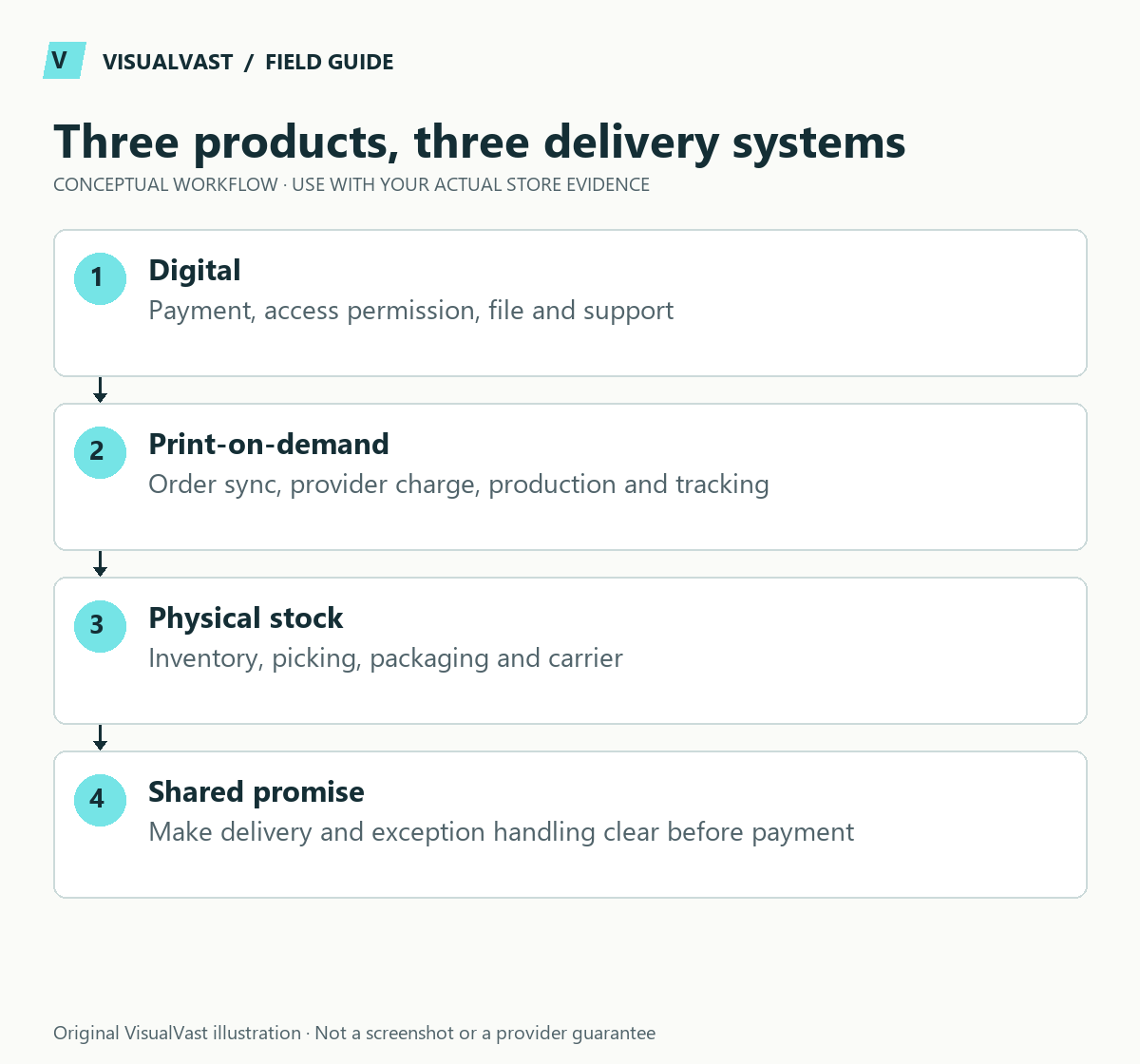
Compare one representative order from each model. A digital workbook needs compatible files, access rules and an answer for download failure. A POD print needs provider mapping, production funding and split-shipment expectations. A stocked item needs accurate quantities, packing and a replenishment owner. The least expensive product to produce is not necessarily the simplest operation.
A mixed store inherits multiple workflows. A customer buying a download and a physical item should not pay shipping for the file; a customer buying stocked goods and POD may receive separate parcels. Put those promises on the product and checkout pages and use the mixed-shipping test matrix.
Before choosing the first release, calculate both unit contribution and the cash needed to fulfill outstanding orders. The POD cash-flow guide addresses timing, while the digital page checklist addresses delivery clarity. Choose a model you can support with the available time, then check its margin.
WooCommerce supports different product configurations, including virtual and downloadable options. Those settings describe technical behavior; they do not decide your business model. The product editor documentation explains the available product settings.
Compare the operating work
Use this guide’s worksheet in the fillable workbook (PDF, page 7). Download and save a copy to retain your entries.
Use the owned store readiness assessment · Use the owned-store break-even calculator
| Question | Digital products | Print-on-demand | Stocked physical products |
|---|---|---|---|
| What is delivered? | Files or defined digital access | A product made and shipped by a provider | An item held by you or a fulfillment partner |
| Main preparation | Useful content, file quality and compatibility | Artwork, samples, variants and provider mapping | Sourcing, product records and stock handling |
| Common support need | Access, file use and license questions | Size, production, tracking and quality issues | Availability, delivery, damage and returns |
| Important test | Purchase through usable download | Order through correct production and tracking | Stock change through dispatch or collection |
This comparison identifies responsibilities. It does not assert that one model has higher margins, lower risk or better demand in your market.
Ask what you can demonstrate before launch
For digital products, open the final file on the supported device or software and let someone follow its instructions. A beautiful preview does not establish that the workbook, template or printable is usable. List included formats, required software and permitted uses on the product page.
For POD, inspect representative samples and document the variant identifiers. Compare the customer-facing size and delivery information with what the provider can actually fulfill. A mockup is useful for presentation; order a sample to judge print quality and fit.
For stocked products, count the initial inventory, define damaged or unavailable stock and test how staff reserve an item for an online order. If you also sell in a physical shop, agree where inventory is authoritative. Test synchronization with real stock changes; matching numbers on two screens show one moment only.
Begin with one operational pattern
A mixed catalog is possible, but it adds combinations to test. A buyer may place a digital item and a physical item in the same order. The business then has to explain separate delivery expectations and manage the resulting access and fulfillment states.
Start with a model you can support, then add complexity when it has a reason. For example, a fictional local stationery shop might launch a selected physical range first and introduce downloadable planners later. A creator with a finished digital library might do the reverse. The sequence should reflect actual assets and capacity.
Use a decision worksheet
- Describe the first five products or product families you would offer.
- Name the person or provider responsible for each delivery step.
- Write the three most likely buyer questions and how you will answer them.
- Identify the most expensive operational mistake and how you will catch it.
- List the evidence still missing: a sample, usable file, supplier commitment or inventory process.
- Choose a launch model and record what would make you reconsider.
Avoid choosing on headline cost alone. Include your time, customer support, provider charges, maintenance and acquisition in the budget worksheet. Your first model can change later. Give every additional model a tested workflow.
Common questions
Are digital products automatically virtual?
The concepts are related but not identical. WooCommerce lets you configure whether a product needs shipping and whether it provides downloadable files. Check the actual product settings; they control the behavior.
Can I sell all three types in one store?
Yes, if the implementation and operations support the combinations. Test mixed carts, delivery explanations, payment status, stock behavior and customer communications before offering them together.
Next, use the relevant implementation guide: digital downloads, POD launch planning, or taking a retail shop online. A Readiness Audit can help prioritize the first scope.
Continue with the next relevant check
- WooCommerce Digital Downloads: Setup and Delivery Test Plan
- Digital Product Page Checklist: Help Buyers Know What They Get
- WooCommerce POD Launch Checklist: Products, Orders and Fulfillment
- POD and Your Own Products in WooCommerce: Test Mixed Shipping
Match the product model to the platform
Once you have defined delivery responsibilities, use the six-platform decision hub. Creator businesses can then explore Sellfy vs WooCommerce and Fourthwall vs WooCommerce with their specific product and community needs in mind.
Readiness Audit
Plan the build before you pay for it
The Owned Store Readiness Audit reviews your catalog, operations, budget and route to customers. You get written findings, a 45-minute walkthrough and a clear call: build now, start smaller or fix the gaps first. $349 USD.