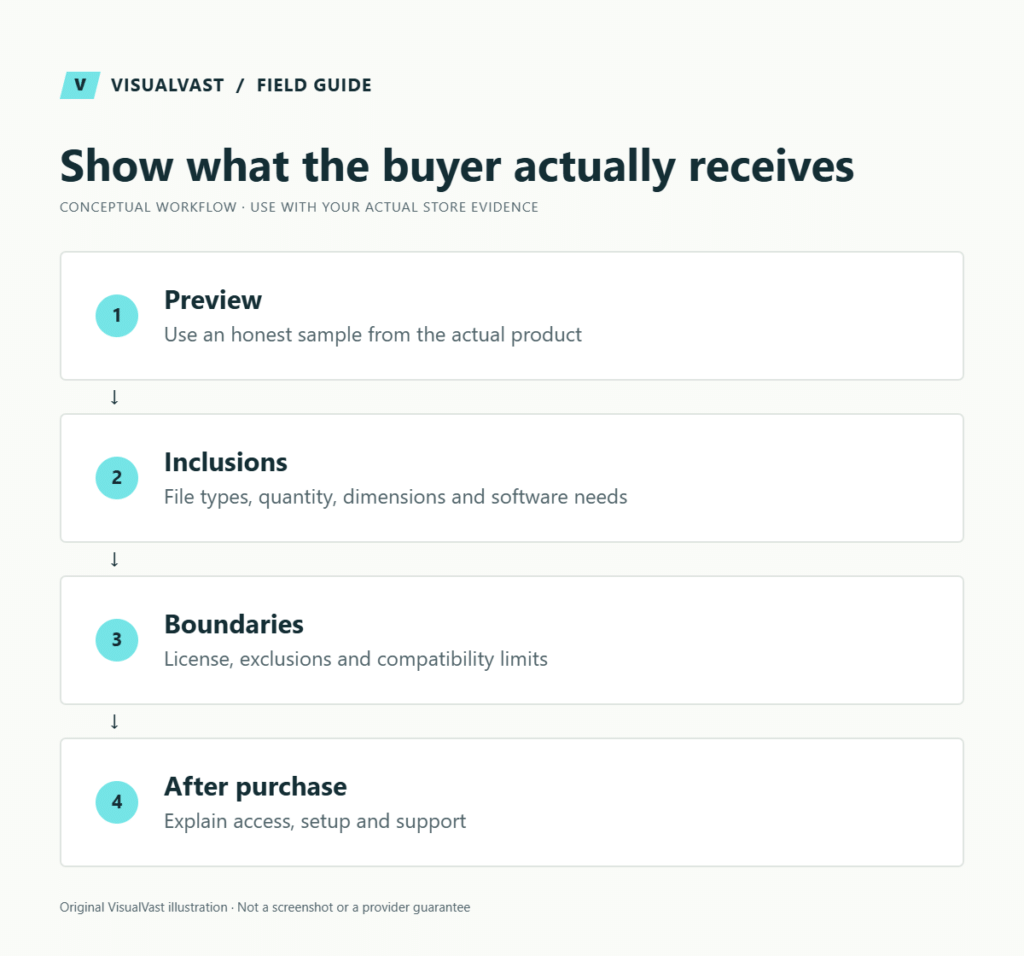
A strong digital product page answers five questions before checkout: what is included, who it is for, how it works, what software or materials are required, and what happens after payment. Attractive mockups help presentation, but they should not replace a clear view of the actual product.
Write an access-policy box buyers can understand
Put file format, software requirements, included versions, download delivery, update eligibility and support boundaries beside the buying decision. A product preview should show representative pages or outputs without implying that mockup props are included.
For example: a fictional printable planner could state that it includes one PDF, is not a physical shipment, requires a PDF reader, and does not include editable design source files. State the actual license separately; do not imply that technical access permission grants commercial usage rights.
A download count or expiry setting is an operational limit. Write the terms out clearly as well. If you promise future revisions, design the past-customer update process before making that promise. Include a visible route for download problems and avoid asking buyers to send passwords or payment-card details.
The finished page should let an unfamiliar buyer explain what they receive, how they receive it and what they cannot do with it. Test that explanation with someone outside the project before improving decorative copy.
Write for the person deciding whether the file fits their task. A printable planner, an editable design template and a spreadsheet are different purchases even if all three are described as downloads.
Lead with the job the product helps complete
Use a specific product name and a short explanation of its intended use. Replace “transform your life” with an observable task such as organizing weekly tutoring sessions. Explain the boundary: a worksheet can organize information without guaranteeing a business outcome.
Then show the contents. Include representative pages, a readable sample or a short walkthrough. Use only assets you own or have permission to use. Clearly label any device or frame shown for presentation so the buyer does not mistake it for an included physical item.
Build an inclusion and compatibility table
Use this guide’s worksheet in the fillable workbook (PDF, page 10). Download and save a copy to retain your entries.
| Detail | Useful answer | Ambiguous answer to avoid |
|---|---|---|
| Deliverables | One PDF and one editable spreadsheet | A complete toolkit |
| Format | Exact file types and supported software | Works everywhere |
| Size or layout | Page sizes, orientation or sheet structure | Perfect for printing |
| Editing | What the buyer can change | Fully customizable |
| Delivery | When and where access appears | Instant, without checking the actual flow |
The examples illustrate specificity; they are not specifications for every digital product. Use the facts of your own files. If the buyer needs a paid third-party application, make that requirement visible before purchase.
Explain licensing and support in plain language
Describe intended permitted use and link to the actual license terms. Clarify whether the buyer may use a template for their own business, client work or resale only after those permissions have been decided. Avoid borrowing a license from another seller whose offer differs from yours.
State what support covers and how to request it. For example, you might support access and file defects while excluding custom design work. Whatever you promise must match your capacity and applicable customer rights. Final commercial and refund language should be reviewed for the actual product and market.
Show the purchase-to-use sequence
- Choose the correct product or license option.
- Review the supported formats and included items.
- Complete checkout using the available method.
- Obtain the download through the stated route.
- Follow the included instructions and use the support path if needed.
Verify every step in your store. If an account is required or downloads expire, put that information near the delivery explanation. The digital-download setup guide provides a corresponding test matrix.
Optimize for clear discovery
Use the product’s natural name in its title, main heading and opening explanation. Add descriptive image text where it helps someone understand the content. Write distinct copy for genuinely different products.
Structured product data should agree with the visible offer, including price and availability. Google describes separate product-data use cases and requirements; review the product structured-data guidance for the appropriate implementation. Markup does not compensate for an unclear or inaccurate page.
Review the page with a first-time buyer
Ask someone who has not seen the file to explain what they would receive. Note every incorrect assumption. If they expect a printed item, a different file format or a customization service, fix the page before adding more traffic.
For a fictional budgeting worksheet, a useful preview might show the actual input fields and a completed sample labeled illustrative. Avoid invented earnings, testimonials or outcome claims. The demonstration should establish usability and stay within what the product can deliver.
Common questions
How much copy does the page need?
Enough to resolve the buying decision and important limitations. Use headings and concise tables for detail, and let the content set the length.
Can I reuse the marketplace description?
Use it as an input, then check whether it answers the owned-store buyer’s questions and matches the new delivery process. Marketplace-specific instructions can create confusion.
Explore the Owned Store Launch service when you need product presentation and delivery designed as one customer journey.
Continue with the next relevant check
- WooCommerce Digital Downloads: Setup and Delivery Test Plan
- Product Descriptions for SEO: Write for the Buying Decision
- Can You Use the Same Product Descriptions on Etsy and Your Website?
- Updating WooCommerce Download Files for Past Customers
Check whether a platform move is necessary
Unclear previews and product information often deserve attention before a rebuild. Our Payhip decision guide and Sellfy decision guide distinguish product-page improvements from requirements that may justify a different store.
Store templates
Listing, download and support templates, ready to edit
The Store Content and Customer Experience Bundle gives you 30 editable templates and seven worked examples for product facts, file instructions and common support replies. $19 USD, digital download.