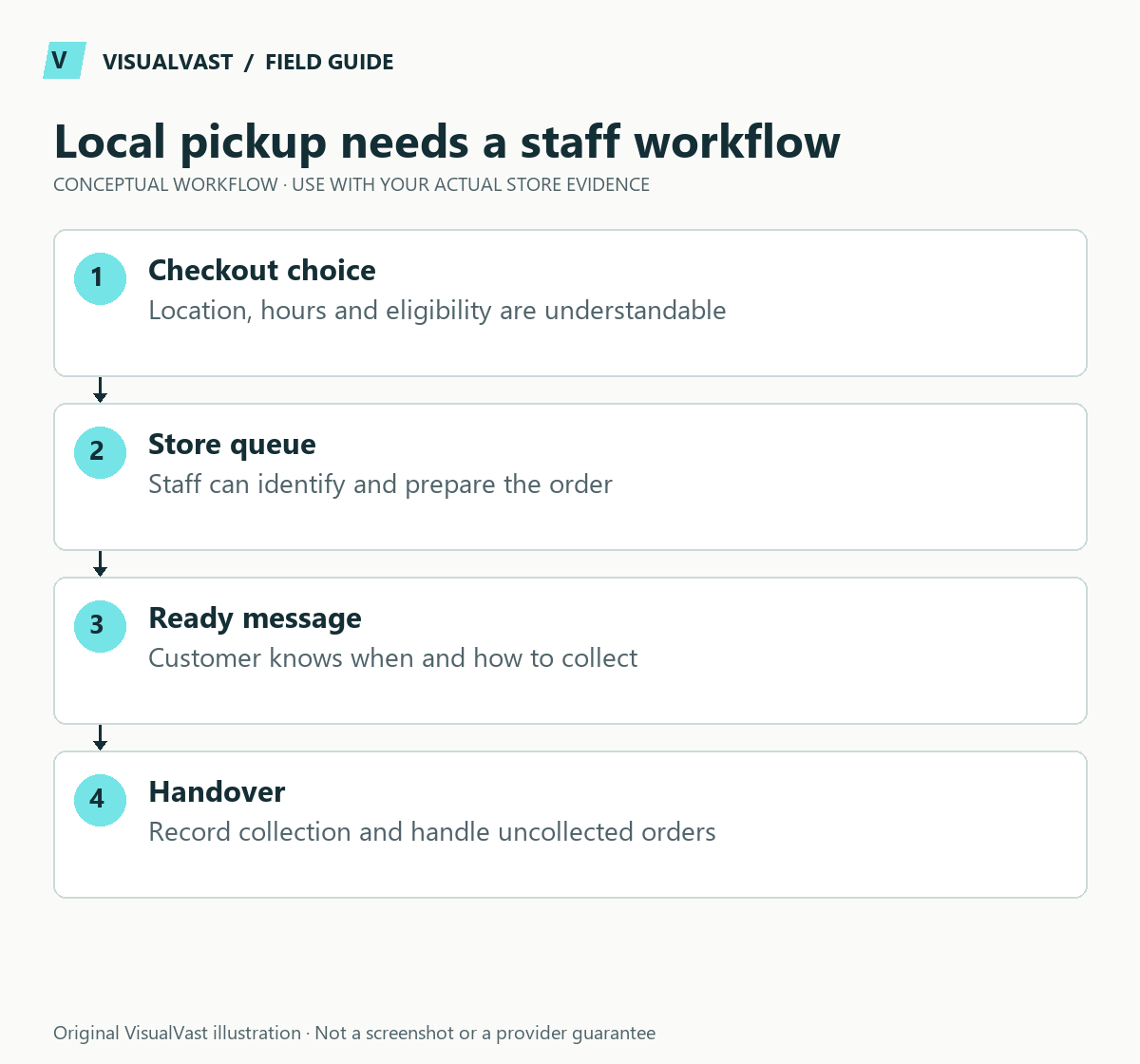
Taking a retail shop online works best when the website promise matches what the shop staff can fulfill. Start with a manageable product range, accurate stock and a clear choice between shipping and collection. Local pickup is an operating process that starts at checkout and ends at the counter.
Identify Blocks pickup versus the legacy shipping method
WooCommerce documents two core pickup approaches. Blocks Local Pickup uses the Checkout block and a pickup-location configuration. Legacy Local Pickup is added inside shipping zones. Identify the checkout before following instructions.
Use this guide’s worksheet in the fillable workbook (PDF, page 14). Download and save a copy to retain your entries.
Download: Shipping and pickup acceptance matrix (CSV)
| Question | Blocks pickup | Legacy method |
|---|---|---|
| Where configured? | Dedicated Local Pickup settings | A shipping zone’s methods |
| Customer address needed to offer it? | Not governed by shipping-address zones | Zone matching determines availability |
| Pickup tax location behavior | Selected pickup location | Store address by default |
| Both enabled? | Can create confusing duplicate choices | Review overlap before launch |
These are software behaviors. Get tax advice for your own business. Verify the correct tax treatment with your adviser. Location-level inventory needs its own supported stock workflow; a list of pickup locations covers only where customers collect.
Test selection, pickup instructions, notifications, staff preparation and the collected-order handoff. Compare a pickup cart with a shipped cart in the checkout test plan and use the status/stock guide when quantities do not match expectations.
An online customer cannot inspect the shelf, ask a staff member about availability or infer your opening hours. The store needs to make those details understandable before payment.
Choose the first online range deliberately
Select products with dependable availability, complete images and clear handling requirements. Some items may be unsuitable for the first phase because they are fragile, unusually sized, restricted or difficult to keep in stock. Record exclusions so staff do not accidentally promise an unsupported service.
For a fictional gift shop, a focused selection of standard-size products may be easier to operate initially than every item on the premises. This is scope control. Keep the products your customers depend on in the first release.
Decide where stock is authoritative
Map how in-store sales, online orders, returns and damaged items change availability. If the systems are not connected, define the manual process and whether stock should be reserved for each channel. Do not claim automatic synchronization until the actual workflow has been tested.
The multichannel inventory plan provides a field-level worksheet. Include the staff member responsible for discrepancies and the action to take when a paid online order cannot be fulfilled.
Match pickup configuration to the checkout
WooCommerce’s block-based pickup supports one or more pickup locations and customer instructions, and differs from the legacy shipping-zone pickup method. The block option is offered independently of shipping zones. Review the block pickup documentation for the chosen implementation; do not mix instructions for different checkout systems.
Configuration is only one part of the work. Agree what the customer needs to see before they select collection and what staff need after the order arrives.
Write the pickup journey
| Stage | Customer information | Staff responsibility |
|---|---|---|
| Before purchase | Location, available collection times and preparation expectation | Keep published information current |
| After payment | Order received and next communication | Reserve and locate the items |
| Ready for pickup | Clear readiness message and collection instructions | Mark the order according to the agreed workflow |
| Collection | How to identify the order appropriately | Verify and record handover |
| Exception | Contact route for delays or unavailable stock | Resolve the issue and document the outcome |
Avoid treating “order received” as “ready to collect” unless your process genuinely supports that promise. Decide how holiday closures, delayed preparation and uncollected orders are handled. Publish the actual policy only after the business has agreed it.
Test shipping and pickup together
Use representative addresses, products and carts. Check that the customer understands the difference between delivery methods and that staff receive the information needed to act. Include a product that cannot be collected or shipped through the standard route if such products are in scope.
Verify applicable tax treatment with the appropriate professional; pickup configuration can affect which location the software uses. Do not assume copying another store’s settings makes your arrangement correct.
Common questions
Must I synchronize my point-of-sale system immediately?
Sometimes. Either way, you need a reliable alternative. Assess the product range, sales pace and consequences of stale stock before choosing a manual or connected process.
Can I offer pickup and shipping?
Yes, where the chosen setup supports your requirements. Test the selections and customer communications with real test orders.
Use the shipping-zone checklist for delivery planning. The Owned Store Launch service can scope the catalog, checkout and staff handover as one project.
Continue with the next relevant check
- WooCommerce Shipping Zones: A Practical Setup and Test Checklist
- WooCommerce Checkout Test Plan: What to Verify Before Launch
- WooCommerce Order Status and Stock: Pending, On Hold and Processing
- What to Collect Before Contacting WooCommerce or Plugin Support
Care & Maintenance
Hand off the upkeep, keep the checks
WooCommerce Care covers scheduled updates, backups, monitoring and a monthly checkout test, with a written report. Care starts at $199 USD a month. Care Plus adds two hours of fixes and support each month.