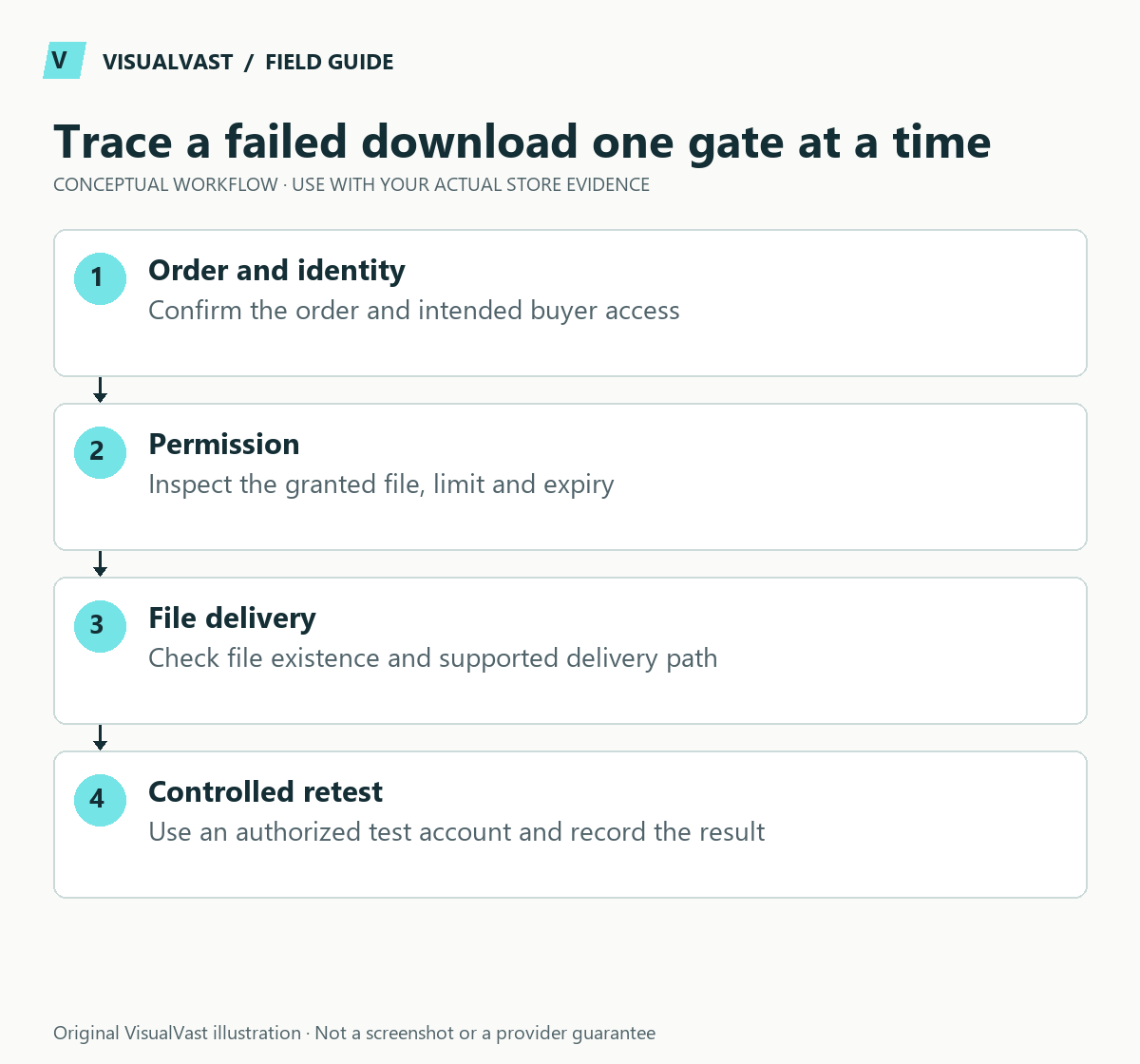
Start with the customer’s exact symptom. A missing email, an expired permission and a broken file transfer can all be described as “the download does not work,” but they need different fixes. Verify the buyer’s entitlement, record the error and follow the path from order to permission to file.
Do not ask customers for passwords, full payment-card details or public screenshots of private download links. A safe internal order reference, error wording, device and time are usually more useful. If you are still configuring the store, begin with the digital-download setup guide.
Match the symptom to the first check
Use this guide’s worksheet in the fillable workbook (PDF, page 24). Download and save a copy to retain your entries.
Download: Digital-download entitlement test matrix (CSV)
| Customer symptom | First check | Next branch |
|---|---|---|
| No link anywhere | Order status and granted download permissions | Product settings and order event |
| Link in account but not email | Whether the relevant notification was generated | Email transport and receipt |
| Invalid or expired link | Permission record, limit and expiry | Confirm the intended access policy |
| Access denied after login | Correct customer account and entitlement | Login requirement and order association |
| File not found | Current download target and storage availability | Hosting or file-location problem |
| Transfer starts then fails | File size, server delivery and connection | Reproduce with the same file and method |
The WooCommerce download handling documentation explains access settings and file delivery. On current versions, a permissions panel may be hidden in Screen Options; a hidden panel does not itself mean permissions are missing.
Trace one affected purchase
Record the product, selected variation, order state and file version. Compare them with the store’s intended access policy. Check whether access is meant to be granted after payment or at a later order state. Do not mark an unpaid order as paid merely to make a link appear.
Inspect the download permission without repeatedly clicking the customer’s live link: a limited download count can be consumed during diagnosis. Use an authorized test account and test file where possible. If the file row was changed recently, compare the behavior before and after that edit using the past-customer update guide.
Separate permission from delivery
If permission is correct, confirm that the configured file exists and that the selected delivery method is supported by the host. Test a small known-good file and the actual larger file separately. A smaller file succeeding narrows the problem; check the larger file before calling it corrupt.
Do not make a protected file publicly accessible as a permanent workaround. Coordinate server-assisted delivery or storage changes with the host and retain the original location until the replacement is verified. A customer who receives the correct archive may still need ordinary extraction instructions; do not assume iPhones cannot extract ZIP files.
Separate delivery from notification
When the account download works but the email is missing, switch to the order email troubleshooting workflow. Reissuing permissions will not solve an inbox-placement failure. Conversely, resending an email will not repair an invalid file target.
Close the incident with evidence
Record what changed, which test passed and whether other purchases could be affected. Give the buyer a concise update and a support route. Escalate unresolved server or extension behavior with a redacted support packet. The Care & Maintenance service can scope diagnosis and operational improvements; you still verify payment and the customer’s license.
Store templates
Listing, download and support templates, ready to edit
The Store Content and Customer Experience Bundle gives you 30 editable templates and seven worked examples for product facts, file instructions and common support replies. $19 USD, digital download.