A WooCommerce handover is complete when the business knows how to operate the store, who owns its accounts, how changes are tested and what to do when something fails. A password list and a short screen recording are useful inputs to a fuller operating plan.
Use a release runbook with commercial acceptance gates
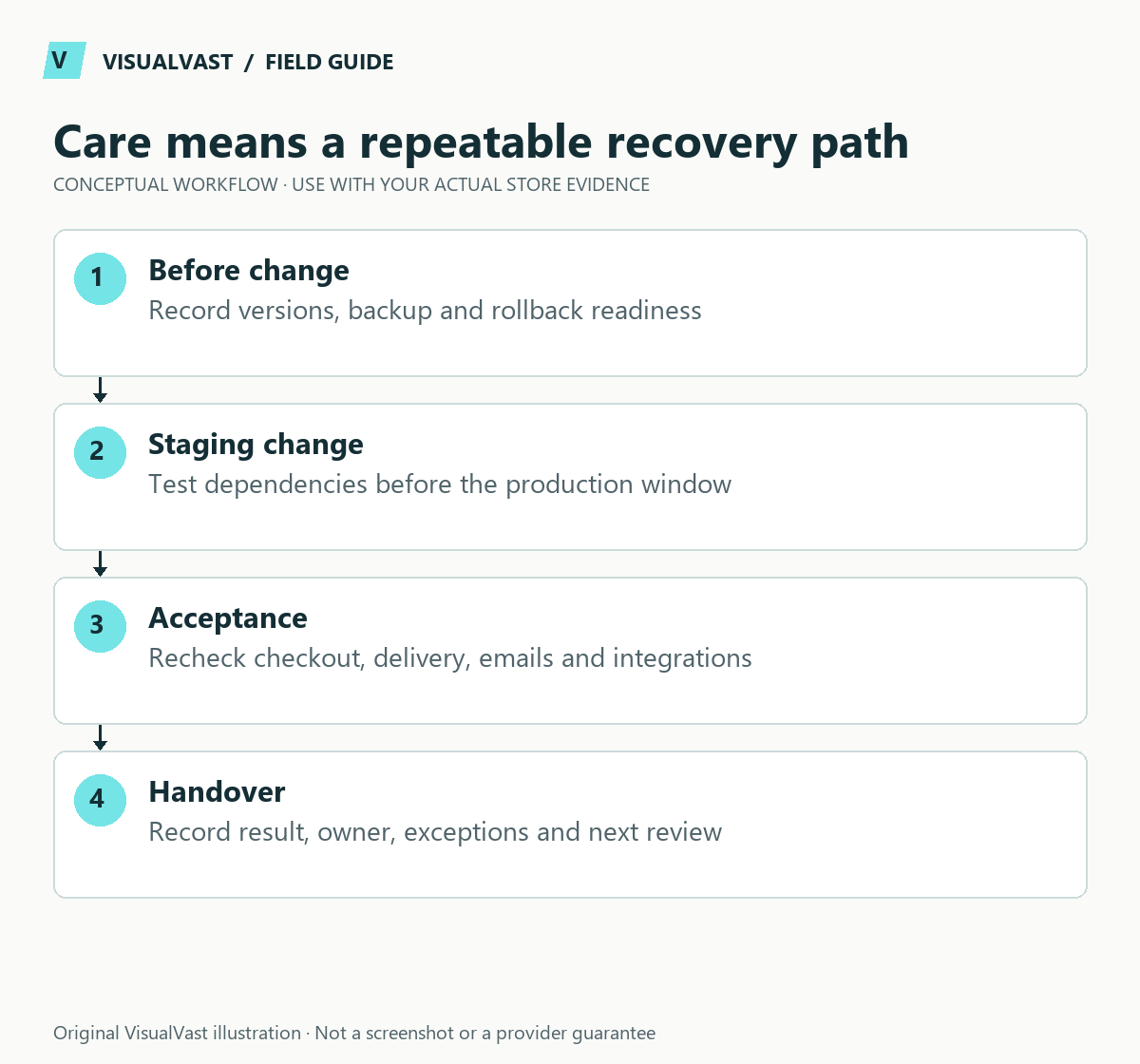
WooCommerce recommends a current backup and staging tests in its update procedure. Turn that into an operating record: exact update set, responsible person, release window, acceptance evidence and recovery decision. After a green plugin update notice, test that a customer can still buy and receive the product.
Use this guide’s worksheet in the fillable workbook (PDF, page 22). Download and save a copy to retain your entries.
| Gate | Evidence required |
|---|---|
| Before changes | Recoverable files/database backup and version inventory |
| Staging | Intended update set installed; required database work finished |
| Buying journey | Product, cart, coupon, guest/account checkout and payment tested |
| Delivery journey | Email, download, POD routing, stock and shipping checked as applicable |
| Recovery | Decision owner and plan to preserve newer orders |
| After release | Smoke tests and monitoring, with exceptions assigned |
If checkout fails, collect the time, error, versions and steps before changing unrelated settings. Use the support evidence checklist and isolate conflicts on a safe copy. A database rollback needs particular care because orders may have arrived after the backup.
Include incident ownership for card-testing patterns as well as ordinary maintenance. For scoped assistance, see WooCommerce Care & Maintenance. Response windows, hosting, licenses and new features should be agreed explicitly.
Agree responsibilities before the project ends. Separate routine content edits, technical maintenance, provider support and new development so neither the business nor the implementer assumes the other is handling an essential task.
Create an ownership register
List the domain, hosting, WordPress administration, payment provider, fulfillment accounts, email service, licensed extensions and measurement tools. For each, record the business owner, access method, renewal responsibility and support route. Store credentials in a password manager or vault, outside the shared handover document.
Use the minimum access each person needs. Decide how temporary implementation access will be reviewed after handover and how the business can recover an account if the usual operator is unavailable.
Document the daily workflows
| Workflow | What the operator needs to know | Completion evidence |
|---|---|---|
| Product update | Which fields and images can be changed safely | Updated page and relevant variant check |
| Order handling | What each operational state requires | Recorded action and correct next state |
| Customer exception | How to investigate and communicate | Resolved issue with a short internal note |
| Stock or provider mismatch | Which record is authoritative | Reconciled systems |
| Digital access issue | How to verify entitlement and file version | Customer can use the correct file |
Practice these tasks with representative examples. Ask the operator to perform them hands-on. Record unclear steps and improve the documentation while the implementation team is still available.
Plan backups and restoration
WooCommerce stores content and operational data in both files and a database; a backup plan must account for both. The backup documentation explains those components. Verify what your chosen service covers, retention, access and the restoration process.
An old backup can predate real orders. Before restoring production, understand what newer transactions or customer changes might be lost and how they will be preserved or reconciled. “We have backups” is weaker evidence than a documented restoration exercise on a separate environment.
Use a controlled update routine
Review updates, compatibility and security notices. Prepare a current backup, test the intended changes on staging and check the relevant buying and delivery paths. WooCommerce’s update guide describes preparation and post-update verification. Urgent fixes may require action sooner than the ordinary maintenance schedule.
Record the versions changed, test results and rollback approach. Do not replace a live transactional database with a stale staging database merely to publish a design change. The deployment method needs to respect orders and other data created during development.
Define the response to a problem
Write a short escalation path for unavailable checkout, payment uncertainty, failed fulfillment and widespread download errors. State who can pause sales, contact a provider or authorize a recovery action. Avoid promising a response time that no one is staffed to meet.
For a fictional digital shop, a broken download after an update should lead to a controlled diagnosis and customer-support path with one person making order changes. The download guide and email workflow provide more detailed checks.
Make ongoing scope explicit
- Which updates, monitoring and checks are included?
- Who creates new products and content?
- What counts as a defect versus a new feature request?
- Which subscriptions renew through the business?
- Where are the source files and configuration notes kept?
- When will access, restore readiness and documentation be reviewed?
Answer those questions in the service agreement and handover record. A store is easier to own when the responsibilities are understandable and recoverable.
Common questions
Can I maintain the store myself?
Possibly, if you have the time, skills and support arrangements for its complexity. The handover should show the actual tasks so you can make that decision realistically.
Is automatic updating enough?
Automation can help with parts of maintenance, and a named person stays responsible for compatibility, customer journeys and recovery. Choose a process that reflects the store’s risk and capabilities.
The WooCommerce Owned Store Launch service includes a practical handover within the agreed scope. Use the checkout test plan as part of ongoing verification.
Continue with the next relevant check
- WooCommerce Checkout Test Plan: What to Verify Before Launch
- WooCommerce Order Emails Not Arriving: A Troubleshooting Workflow
- WooCommerce Card-Testing Attack: A First-Response Runbook
- WooCommerce Order Status and Stock: Pending, On Hold and Processing
- What to Collect Before Contacting WooCommerce or Plugin Support
Care & Maintenance
Hand off the upkeep, keep the checks
WooCommerce Care covers scheduled updates, backups, monitoring and a monthly checkout test, with a written report. Care starts at $199 USD a month. Care Plus adds two hours of fixes and support each month.