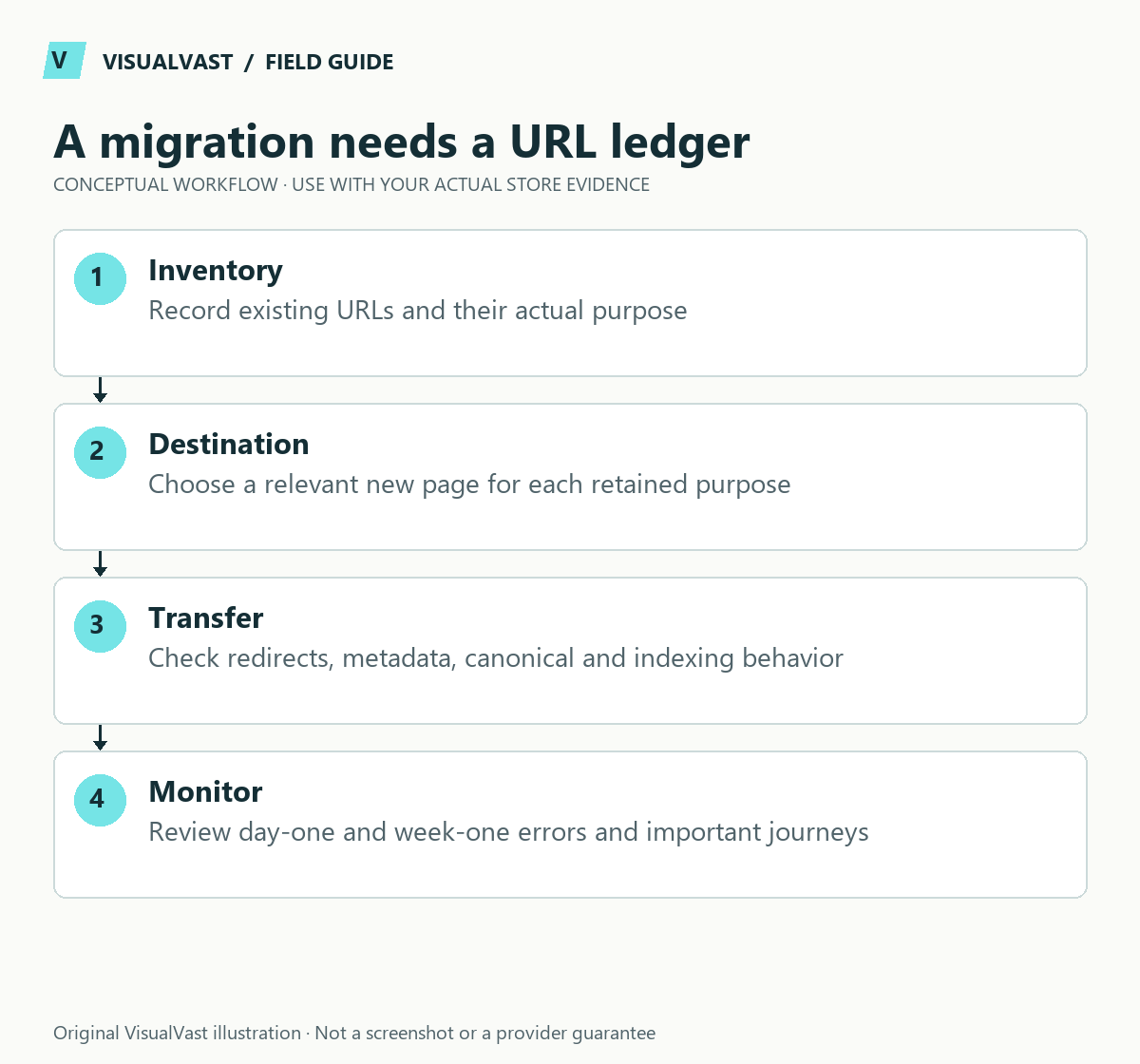
Before a WooCommerce redesign, inventory the existing URLs and decide which should remain, change, merge or retire. Preserve useful addresses when possible, map necessary redirects to relevant destinations and test the final site. A new visual design does not require replacing every URL.
Separate transferable assets from marketplace properties
A catalog export does not move Etsy’s search visibility, reviews, account history or customer permissions into a new website. Evaluate each asset and your rights to use it. Keep the successful marketplace channel while building the owned site’s own discovery and customer experience.
Use this guide’s worksheet in the fillable workbook (PDF, page 20). Download and save a copy to retain your entries.
Download: URL migration and smoke-test ledger (CSV)
| Item | Planning treatment |
|---|---|
| Your product copy and images | Verify ownership, quality and target formatting |
| Product variants and files | Rebuild and validate missing catalog relationships |
| Etsy listing URLs | Do not assume you control server redirects from Etsy |
| Existing website URLs you control | Retain useful URLs or map specific replacements |
| Reviews and customer records | Separate policy, consent and provenance review |
| Rankings and traffic | Measure separately; do not promise transfer |
Use the catalog mapping workflow for product data and the variation guide for child products. During the first day after an eventual production launch, check critical URLs, checkout, files, email and feeds. During the following week, review crawl/indexing signals, errors and actual customer journeys. Keep staging noindex until a deliberate production launch plan is approved.
These steps apply to a site you control. Marketplace-owned listing addresses stay under the marketplace’s control. Keep the scope of an Etsy catalog import separate from the migration of your own domain.
Gather evidence before removing content
Collect current pages, products, categories, articles and media destinations that matter. Add available search performance, backlinks, conversions and internal-link information. If analytics or Search Console access is unavailable, mark the evidence as missing and keep the page under review.
Judge an article by its usefulness; age alone is a weak reason to remove it. A dated page can still answer a useful question, need a substantial refresh or serve a different audience. Decide its future from relevance and evidence.
Create a URL decision map
| Existing URL | Decision | Destination | Reason and test |
|---|---|---|---|
| Useful page with stable purpose | Retain | Same URL | Verify content and template |
| Page moving to a new address | Redirect | Closest equivalent | Verify response and final destination |
| Overlapping pages | Merge where justified | Stronger relevant page | Preserve useful information |
| Obsolete page with no replacement | Retire deliberately | Appropriate not-found behavior | Review evidence and internal links |
Do not send every removed page to the homepage. A visitor seeking a specific guide needs a relevant replacement page.
Separate staging from the launch configuration
Keep the development copy out of indexing while work is underway. Before production release, check the intended canonical domain, indexability, internal links and sitemap entries. A staging URL left in a canonical or navigation link can undermine an otherwise careful migration.
Maintain a release checklist with an owner for each change. Do not remove staging protections as part of routine content editing. The production launch is a separate operation with its own approval and verification.
Test redirects and page meaning together
Google’s site-move guidance recommends URL mapping and appropriate permanent redirects and notes that significant changes can cause search fluctuations while pages are processed. Redirects are a migration signal; rankings can still shift.
Test high-value URLs and representative patterns. Check the status, final destination, canonical, page title and actual content. Avoid loops and unnecessary redirect chains. Update internal links to the intended destination so normal navigation skips the redirects.
- Confirm product and category addresses in menus and guides.
- Review pagination, filtered pages and duplicate URL patterns.
- Check structured data against the visible page.
- Verify important images and downloadable assets.
- Inspect the mobile page and critical conversion path.
- Record any intentionally excluded or unresolved URL.
Monitor after release
Establish a baseline before launch, then review crawl errors, indexing, organic landing-page trends and conversion behavior after release. Investigate meaningful changes at page and query level. Avoid reacting to one day of small numbers as if it proves the entire migration failed.
If a page loses visibility, compare the old and new purpose, text, links and technical signals. A redirect can be technically correct while the replacement no longer answers the original question. Keep the old content inventory and deployment record available for diagnosis.
Common questions
Should I change every slug to include a keyword?
No. Change a working address only when there is a clear reason and a migration plan. Readable URLs are useful, but unnecessary churn adds risk and maintenance work.
Can an Etsy listing redirect to my store?
You generally do not control the marketplace’s server redirects. An owned-domain migration and a marketplace catalog preparation are different projects. Follow platform policies for any cross-channel communications.
Use SEO & Traffic Foundations to connect the URL map with the new site structure and launch checks.
Continue with the next relevant check
- Etsy to WooCommerce: Prepare Your Product Catalog Before Importing
- Ecommerce Site Structure: Plan Categories, Products and Guides
- Rebuilding Etsy Variations as WooCommerce Variable Products
- WooCommerce Merchant Center Price and Availability Mismatches
Decide whether a migration is justified
URL planning belongs after a supported platform decision. Our platform comparison hub and Shopify-to-WooCommerce considerations help distinguish a genuine constraint from a smaller problem that can be repaired in the existing store.
For implementation, our WooCommerce Migration service scopes catalog transfer, an owned-URL redirect map and launch verification together. Start with the readiness audit to identify what can transfer and what needs rebuilding; see starting prices and exclusions before planning the budget.
SEO & Traffic Foundations
Map search demand to pages that sell
Keyword-to-page mapping, up to ten optimized priority URLs, technical essentials, internal links, measurement setup and a 90-day content plan. From $900 USD.