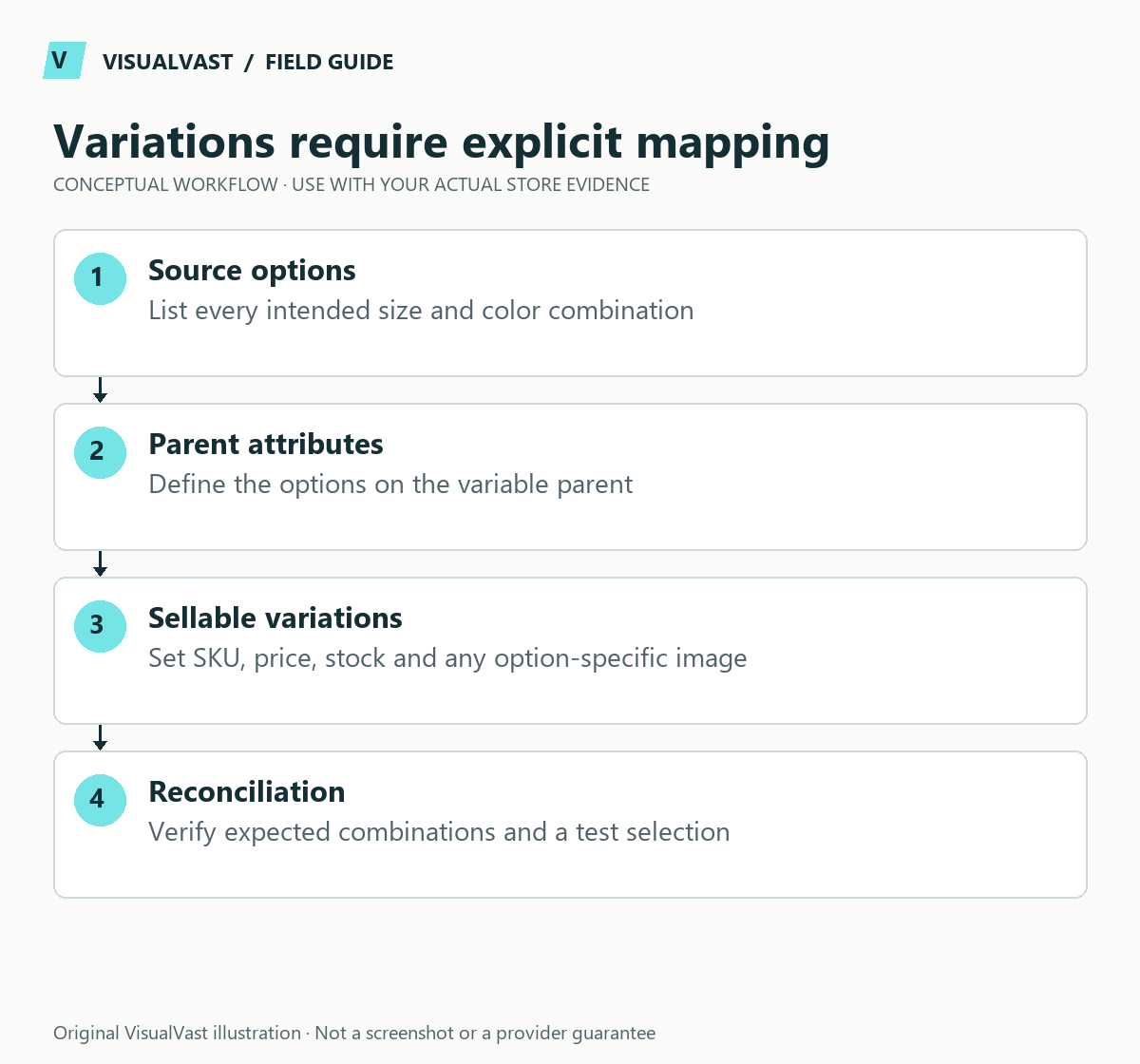
Rebuild the sellable combinations first, then map them to WooCommerce. A listing with three sizes and two frame colours needs six distinct variations if all combinations are actually sold. Do not assume the Etsy export contains every price, quantity or relationship needed for that structure.
The official Etsy import guide identifies gaps in exported variant prices and quantities. Use the catalog mapping guide to prepare the source, then use this worked example to check the relationships. The product and values below are fictional planning data.
Build one parent and six children
The parent is Fern Wall Print, SKU ART-FERN. Its attributes are Size, with A4, A3 and A2; and Frame, with Black and Oak. Each child represents one combination that the customer can buy.
Use this guide’s worksheet in the fillable workbook (PDF, page 23). Download and save a copy to retain your entries.
Use the sku builder & collision checker
Download: Fictional source-to-target catalog map (planning only) (CSV)
Download: Fictional six-variant SKU register (planning only) (CSV)
| Variation SKU | Size | Frame | Illustrative price | Illustrative stock |
|---|---|---|---|---|
| ART-FERN-A4-BLK | A4 | Black | 25 | 4 |
| ART-FERN-A4-OAK | A4 | Oak | 27 | 3 |
| ART-FERN-A3-BLK | A3 | Black | 35 | 2 |
| ART-FERN-A3-OAK | A3 | Oak | 37 | 5 |
| ART-FERN-A2-BLK | A2 | Black | 45 | 1 |
| ART-FERN-A2-OAK | A2 | Oak | 47 | 0 |
The currency, prices and quantities are placeholders for your own evidence. For POD products, provider availability and mapping may matter more than a manually invented stock quantity. Do not apply this example unchanged to a provider-linked catalog.
Create the schema from your target store
Create one variable product manually in staging and export it using the native importer/exporter. That gives you the column names and attribute representation used by your installed version. Follow the WooCommerce CSV importer documentation for Type, SKU, Parent and attribute fields. Each variation row must point to its intended parent product.
Keep the six child SKUs unique. Verify that the option spelling on each child matches an allowed parent attribute value. Black and black should not become accidental separate conventions. Preserve provider identifiers in a separate mapping register alongside your new human-readable labels.
Validate one product before importing the range
Open the product on the storefront. Select each combination and compare the displayed price, image and availability against the matrix. Check the zero-stock combination and any intentionally unavailable combination. Add an eligible variation to the cart and confirm that the order identifies the correct option.
Then inspect the admin product: six intended children, no duplicates, correct parent link, correct inventory owner and no unwanted default price. A successful importer completion screen is not sufficient. Keep the import report and a short list of corrections before expanding the batch.
Avoid changes that break existing connections
Changing a live SKU can affect sync and fulfillment. Use the cross-channel SKU plan and document whether this is a new store, an update to an existing product or a remap. Never run the same import again blindly after a timeout; inspect the resulting products first.
For migration planning, request an Owned Store Readiness Audit. For implementation, the WooCommerce launch service can define the catalog, import and acceptance scope. Complete the checkout test plan before treating the catalog as ready for customers.
Care & Maintenance
Hand off the upkeep, keep the checks
WooCommerce Care covers scheduled updates, backups, monitoring and a monthly checkout test, with a written report. Care starts at $199 USD a month. Care Plus adds two hours of fixes and support each month.